
Hiring teams today juggle job boards, spreadsheets, inboxes, and messaging apps, and a large share of that work is still done by hand. Off-the-shelf tools cover the basics, but many agencies and HR departments eventually find that their process does not fit someone else’s product. This guide walks through recruitment software development from start to finish, covering the main product types, core features, planning steps and compliance points, with practical lessons from recruitment projects PowerGate Software has delivered for global clients.
1. What is recruitment software development?
Recruitment software development is the process of designing and building digital tools that support hiring, from attracting candidates to making an offer. The term covers a wide range of products. It can mean a simple job board, an applicant tracking system used by an HR department, or a full platform that a staffing agency uses to manage both candidates and client companies.
Companies usually choose custom development for one of three reasons. Their workflow is unusual enough that standard tools force awkward workarounds, they want to launch a recruitment product as a business in its own right, or they need hiring data to flow into systems they already run. Whatever the reason, the first decision is not about technology. It is about what kind of product you are actually building.
2. 4 Types of recruitment software you can build
“Recruitment software” is an umbrella term, and products in this space differ a lot in who uses them and how much of the hiring process they cover. Most projects fall into one of the four categories below. Choosing the right one early shapes your feature list, budget and go-to-market plan.
2.1. Applicant tracking systems for in-house HR teams
An applicant tracking system (ATS) collects applications from a company’s careers page and job boards, moves candidates through hiring stages and keeps feedback from interviewers in one place. For in-house teams, the priorities are usually simplicity for hiring managers who only log in occasionally, approval workflows for new roles and a clean handover to HR systems once someone is hired.
The ATS market is crowded, so building one from scratch rarely makes sense for a small company. A custom ATS is more justified for large organisations with complex approval chains, high-volume hiring or strict rules on where candidate data must be stored.
>>> You may need: Top software development companies for building applicant tracking system (ATS) products

An ATS helps recruiters organize, track, and manage candidates throughout the hiring process – Source: devremote.io
2.2. Recruitment CRM platforms for staffing agencies
Staffing agencies work on two sides at once. They manage a pool of candidates and, at the same time, a list of client companies with open job orders. Their software therefore needs candidate tracking and client relationship management in the same system, plus placement records and reports on recruiter performance.
In one PowerGate Software project, a recruitment business came to us with an early proof-of-concept and a clear sense of what agencies were missing. We turned it into a platform that brings candidate tracking, client management, job pipelines and reporting together, with customisable workflows and performance dashboards. The architecture was also planned so that AI features could be added later without major rework. The lesson from this project is that, for agencies, much of the value comes from closing the gaps between tools rather than adding more features.
2.3. Job boards and niche hiring platforms
Job boards connect employers who post vacancies with candidates who search and apply. Competing with large general boards is difficult, but niche platforms that serve a specific talent group can win by understanding that group better than anyone else. That understanding has to be built into the data model, not just the marketing.
A good example is a web application PowerGate Software built for veterans looking for civilian jobs in Australia. The hardest problem was not the job search itself but translating military ranks and skills into civilian equivalents, a concept that was still underdeveloped when the project began. Without that mapping, a veteran’s experience would simply not show up when employers searched for civilian job titles. The finished platform included job posting, an ATS, a candidate database and candidate sourcing, built as a multi-tenant application so that many employers could use it independently.
2.4. Point solutions for sourcing, assessment and candidate messaging
Some products do one job well and plug into the systems recruiters already use. Examples include sourcing tools, skills tests, interview schedulers and candidate communication apps. Their main advantage is that customers do not need to replace their ATS to start using them.
PowerGate Software worked on one such product: an SMS-based recruitment messaging solution in the US, aimed at smaller hiring teams and freelance recruiters. Instead of building yet another ATS, the product integrated with leading ATSs, so recruiters could text candidates from a mobile app while records stayed in their main system. The focus on low cost, ease of use, and compliant messaging paid off, and the tool came to be used by hundreds of recruitment teams every day across the US and Canada. For point solutions, integration depth often matters more than the number of features.
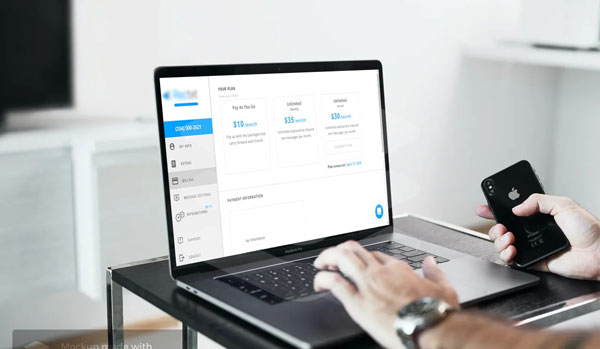
SMS-based recruitment messaging solution in the US by PowerGate Software
3. Must-have features of custom recruitment software
The exact feature set depends on the product type, but most recruitment systems need the following core areas:
- Job management: creating, approving and publishing roles to a careers page and external job boards
- Candidate database: profiles, CVs, notes and history, with search, filters and duplicate detection
- Pipeline tracking: customisable hiring stages, bulk actions and a clear view of where each candidate stands
- Communication: email and SMS templates, with every message logged against the candidate record
- Interview scheduling: calendar integration and self-booking links for candidates
- Collaboration: interview scorecards, feedback forms and role-based permissions
- Reporting: time to hire, source of hire, stage conversion rates and recruiter activity
AI can help with repetitive work such as CV parsing, candidate matching and drafting job descriptions. However, automated screening is now regulated in several markets. The EU AI Act classifies AI systems used for recruitment as high-risk, and New York City requires bias audits for automated employment decision tools. If you plan to use AI, keep a human in charge of final decisions and record how each suggestion was produced.
Read more: The best offshore companies for recruitment software development for your 2026 projects
4. How to plan a recruitment software project from idea to launch
Many recruitment projects slow down not because the code is hard, but because the product idea is still vague when development starts. A structured plan reduces that risk. The steps below work for most product types:
- Map the current hiring process by talking to recruiters, hiring managers, and candidates, and note where time is lost
- Define the core logic before writing code, such as matching rules, pipeline stages, and the data each user role needs
- Design a clickable prototype and test it with a few real recruiters before committing to development
- Build a proof-of-concept or MVP around one complete workflow rather than many half-finished ones
- Choose an architecture that can grow with more users, tenants and future features such as AI
- Launch, measure how recruiters actually use the product, and adjust based on that data
The veterans job platform by PowerGate Software shows why the early stages deserve attention. The client faced a tight deadline and had limited in-house IT resources, and the central concept of skill translation was not yet fully defined. By concentrating on design first, the PowerGate team completed the design phase within three weeks and moved into development with a much clearer scope. Similarly, the agency platform described above grew from a proof-of-concept into a scalable product because the team treated the first version as a foundation rather than a throwaway demo.
5. Architecture, integration and compliance for recruitment platforms
If your product will serve many companies, a multi-tenant architecture is usually the right choice. Each client’s data must stay isolated, while settings, branding, user roles and billing can differ between tenants. The system should also handle sudden spikes in load, for example when a popular role attracts thousands of applications in a few days.
Integrations decide how useful the product feels in daily work. Common connections include job boards, email and calendar services, video interview tools, assessment providers, background check services, and HR or payroll systems. Building a clean, documented API from the start makes these connections easier and allows customers to link your product with their own tools.
Recruitment software stores large amounts of personal data, so compliance cannot wait until launch. Depending on your market, rules such as GDPR in Europe and the UK or the Privacy Act in Australia affect how long you keep candidate data and how people can request deletion. In the US, text messaging to candidates is also subject to consent rules under the Telephone Consumer Protection Act. Encryption, role-based access, and audit logs that show who viewed or changed a record should be part of the first release.
6. Common mistakes in recruitment software development
Most failed or delayed projects repeat a few familiar mistakes:
- Building a full ATS when a focused tool that integrates with existing systems would solve the problem faster
- Designing only for recruiters and forgetting candidates, who often apply on mobile and drop off when forms are long
- Treating integrations as a later phase, which leaves users copying data between systems
- Starting development before the core logic is defined, such as how skills, roles or job categories are matched
- Adding AI features without clean data, human review or a clear plan for regulatory requirements
- Ignoring data migration, so customers cannot move their existing candidate records into the new system
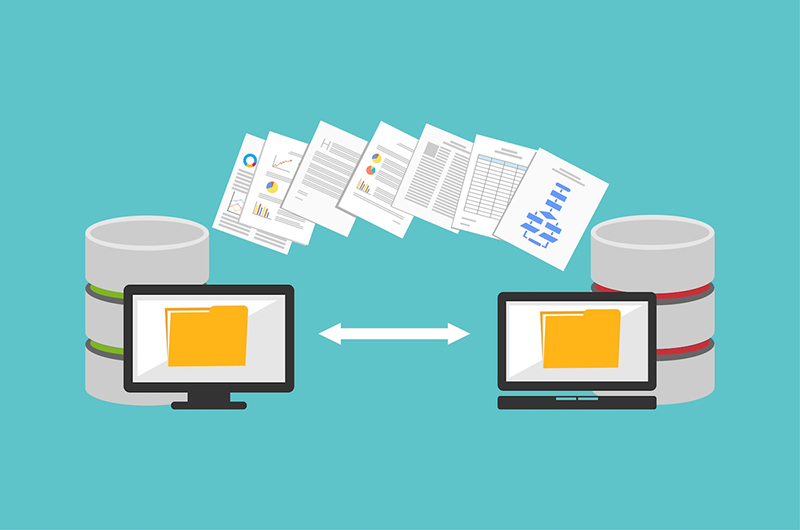
Source: cmcts.com.vn
Good recruitment software development starts with a simple question: who will use the product, and which part of hiring should it improve? Once that is clear, choosing the right product type, defining the core logic early, and planning for integration and compliance will save far more time than any single feature. If you are planning a recruitment platform, an agency CRM, or a focused hiring tool, PowerGate Software can share what we have learned from building these products and help you shape a plan that fits your hiring process.